Cases & hearings
Add a new case
Client, opposite party, court and first hearing — the four things a case needs.
AOMS Support
1 min read
Open Cases → Add New Case.
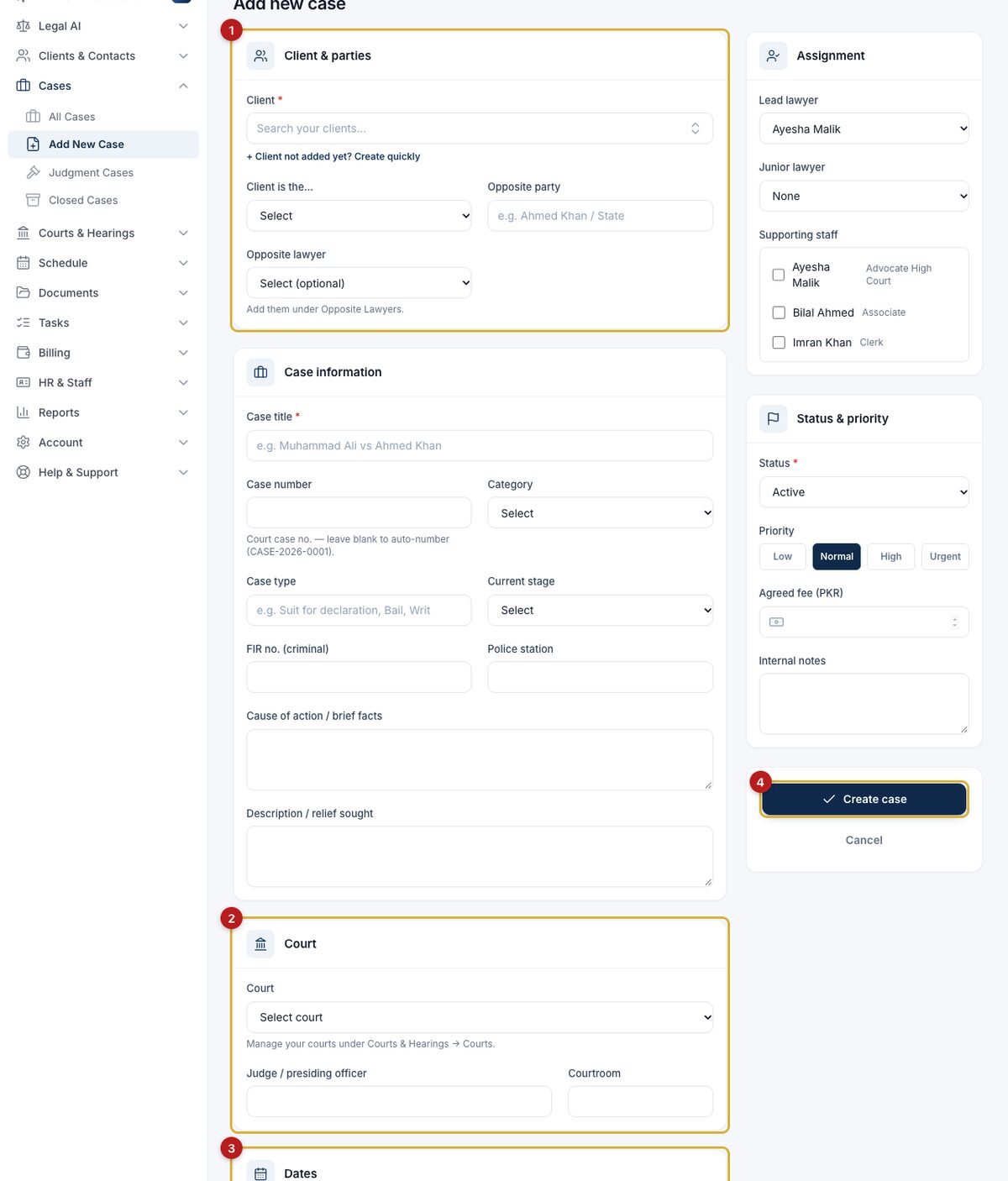
- Client and parties (1): pick the client, or click + Client not added yet? Create quickly and type the name. Type the opposite party, e.g. Ahmed Khan & 2 others.
- Court (2): choose from your courts. Missing? Add it from the AOMS directory first.
- First hearing (3): the date and time. You will be reminded before it.
- Create case (4).
"Possible conflict" message
If the opposite party looks like one of your clients, or your client is an opposite party in another case, AOMS shows the matching records before saving. Check them; if it is not a conflict, tick the box, add a note and save again. See Check for conflicts of interest.
#guide