Cases & hearings
Add courts from the AOMS directory
Add a court (and judge) in one click instead of typing it, and report mistakes.
AOMS Support
1 min read
Open Courts & Hearings → Courts → Add from AOMS directory.
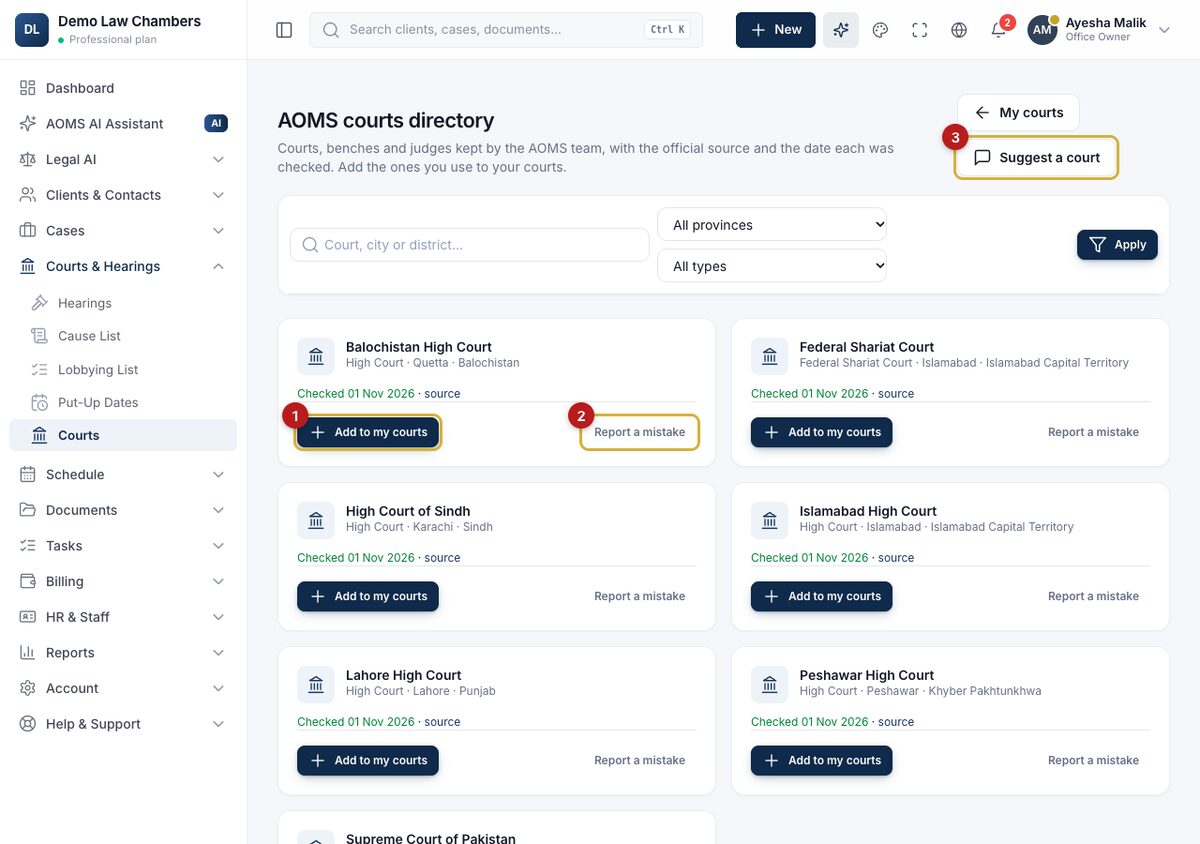
- Search by name or city, or filter by province.
- If judges are listed, choose one, then click Add to my courts (1). The court appears in your court lists for cases and hearings.
Each entry shows the date it was last checked against an official source. Your copy stays as it is even if the directory changes later, so old hearings keep the right court and judge.
Something wrong or missing?
Click Report a mistake (2) or Suggest a court (3). The AOMS team checks it against an official source before changing the directory. You can still add any court yourself with Add court.
#guide