Clients & billing
Check for conflicts of interest
AOMS warns when a new client is an opposite party in your cases, and lets you look anyone up.
AOMS Support
1 min read
Automatic warning
When you add a client or a case, AOMS compares names (and CNIC or phone, if you may see contact details) with your office's clients and the opposite parties in your cases.
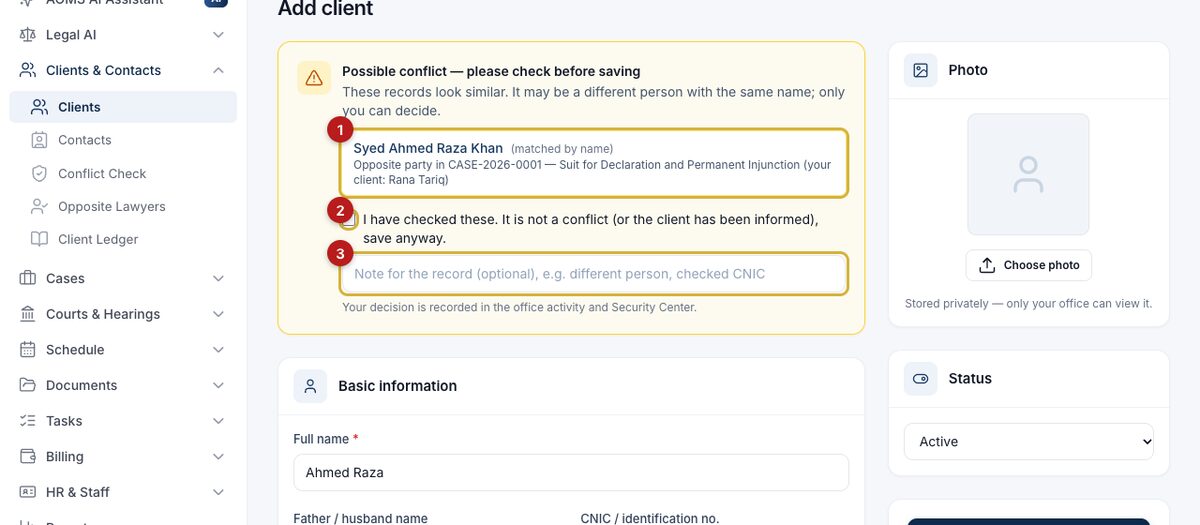
- Open each match (1) and check it. A similar name may be a different person.
- If it is not a conflict, tick I have checked these (2), add a short note (3) — e.g. different father's name — and save again.
Your decision is recorded and shows in Security Center.
Look someone up
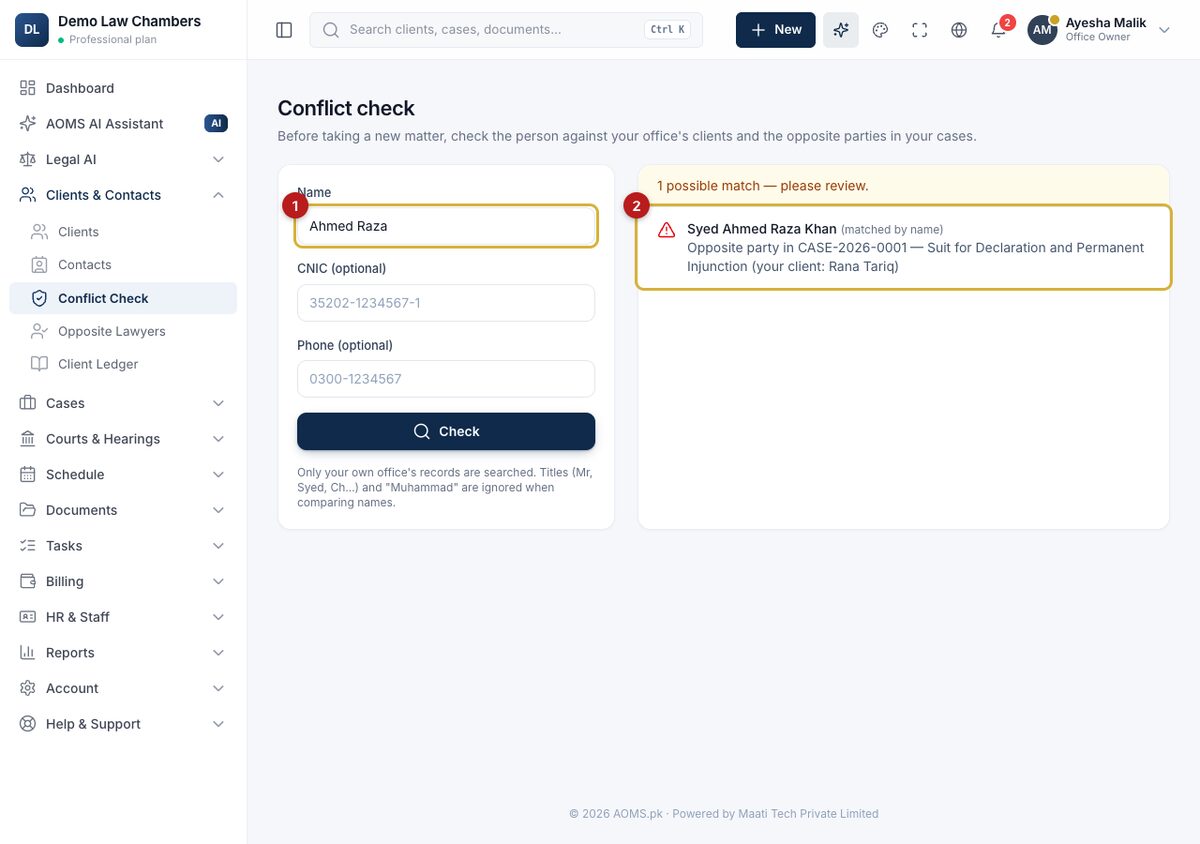
Open Clients & Contacts → Conflict Check, type a name (1) and click Check. Matches (2) link to the client or case. Only your own office's records are searched. This is an aid for your own judgment, not a legal clearance.
#guide