Account & plan
Your office Security Center
See sign-ins, exports, deletions, access changes and signed-in devices; sign a device out.
AOMS Support
1 min read
Owners and managers open it from HR & Staff → Security Center.
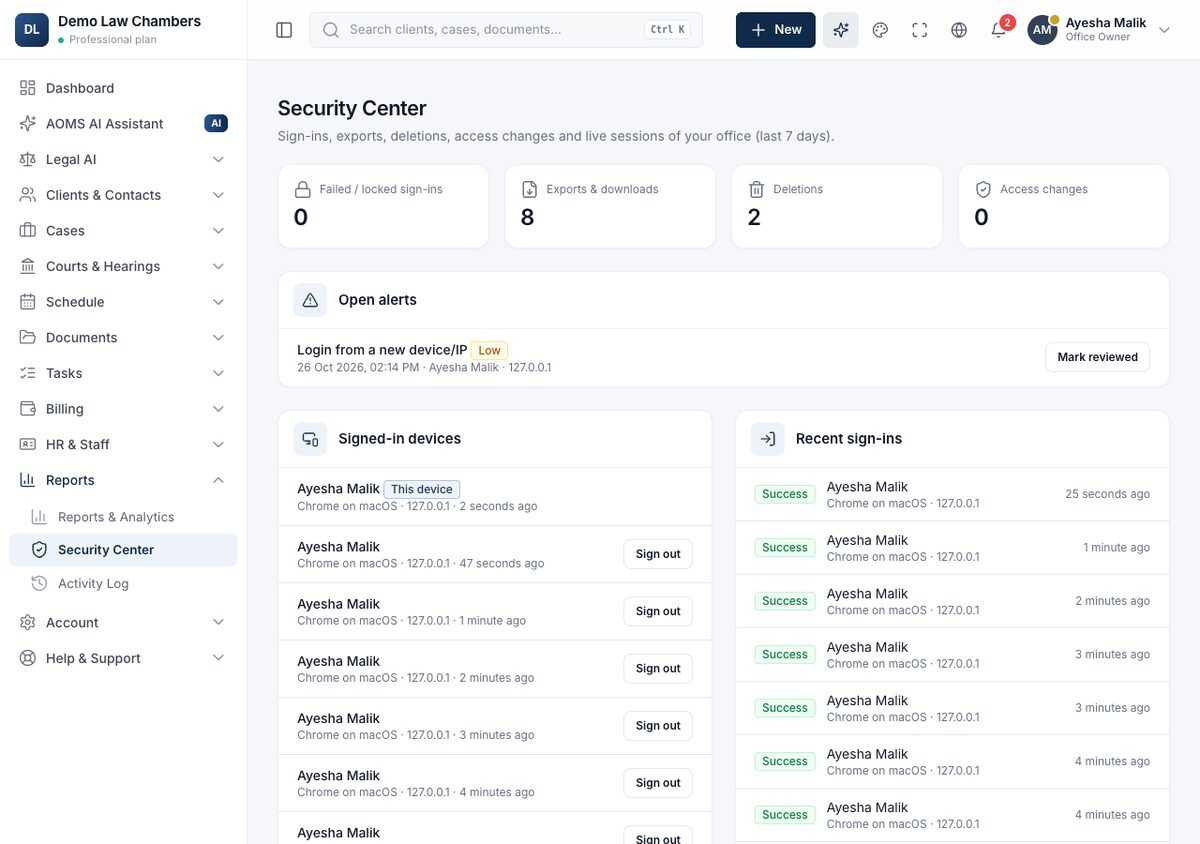
- Counts for the last 7 days: failed sign-ins, exports and downloads, deletions, access changes.
- Open alerts: for example many exports in an hour. Check them and click Mark reviewed.
- Signed-in devices: who is signed in, where and on what. Click Sign out to end a session on a lost phone or shared computer.
- Sensitive actions: deletions, exports, access changes and conflict reviews.
Something looks wrong? Change the person's password, sign their devices out, and tell us through Report a security issue.
#guide